
Brochure Print
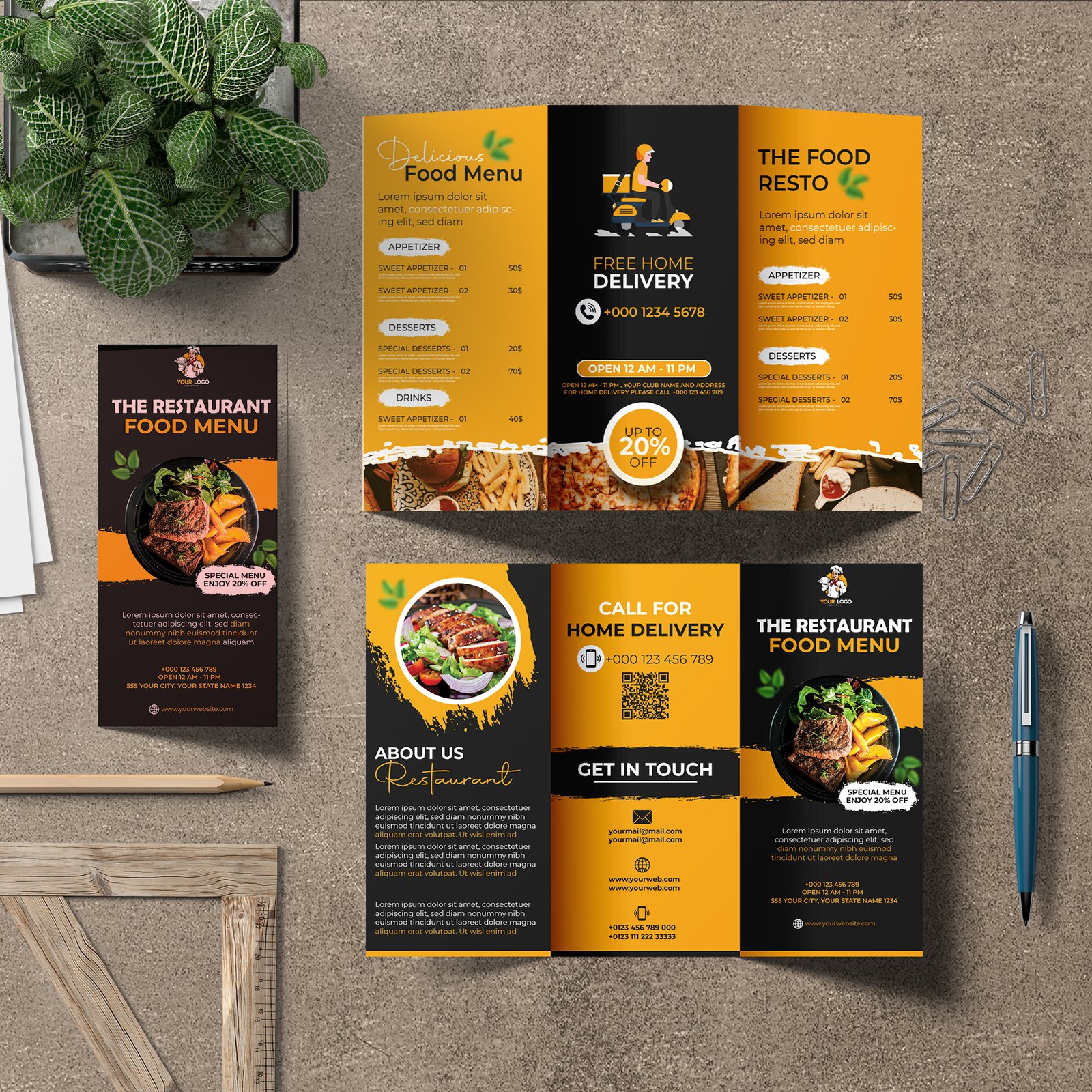
High-quality paper stocks at affordable prices makes ordering Brochure simple.








100 lb. Gloss Text
80 lb. Gloss Text
100 lb. Matte Text
80 lb. Matte Text
Tri-Fold
Half Fold
Z-Fold
Closed Gate Fold
Open Gate Fold
Roll Fold (4 panel)
Brochures are a key element of a marketing campaign, as they serve as a constant sales tool for your company. There isn’t a better way to highlight the essentials of your business!
- Select a folding option that will best fit your design. Make sure each panel is clear and easy to follow – separate different topics onto their own panels for a smoother flow.
- We do not recommend crossover text and/or images for the Closed Gate Fold. Due to a slight gap between the far left and far right panels, text and/or images will not meet.
- The Half Fold then Half Fold is an 8-page fold, and the Half Fold then Tri-Fold is a 12-page fold.
- Choose one of our glossy stocks for a beautiful shine, the 70 lb. Opaque Smooth White for a textured look, or one of our Matte stocks for a more subdued and vintage look.
- Due to the fact that we print in large volumes, different paper types may have different quantity options
- Aqueous coating will be applied to 250+ quantity orders printed on 80 lb. Gloss Book, 100 lb. Gloss Book, or 100 lb. Gloss Cover paper stocks.
- Quantities of 100 and fewer printed on 80 lb. Gloss Book, 100 lb. Gloss Book, or 100 lb. Gloss Cover paper stocks will be printed digitally with no coating.
100 lb. Gloss Text
- Smooth , shiny, and damage resistant
- Similar to a soft cover of a catalog
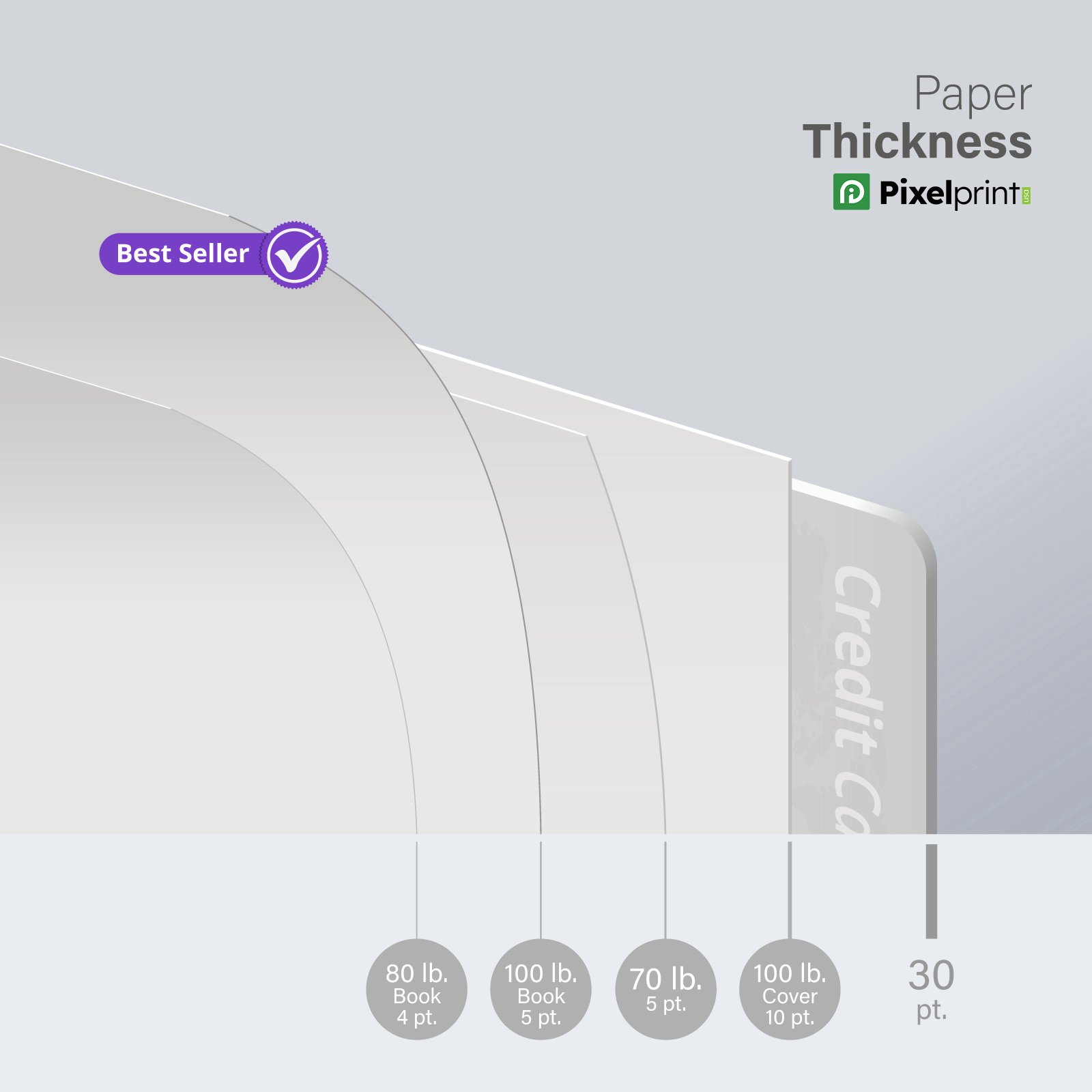
- 100 lb. / 5 pt. thickness
80 lb. Gloss Text
- Lightweight yet durable
- Best for vibrant coilors
- 80 lb. / 4 pt. thickness
100 lb. Matte Text
- Crisp white paper stock
- Similar finish to our Premium Matte stock
- 100 lb. / 10 pt. thickness
80 lb. Matte Text
- Crisp white paper stock
- Similar finish to our Premium Matte stock
- 80 lb. / 4 pt. thickness
- Cover means card stock (thick paper).
- Book or Text means paper (not as thick as card stock).
- High Gloss UV is a high gloss coating, Aqueous is a glossy coating, and Matte Finish is a non-glossy, flat finish.
- You cannot write or print on High Gloss UV-coated stocks, and we do not guarantee that you will be able to write on Aqueous-coated stocks.
- We do not recommend using heavy, dark ink on uncoated stocks due to offsetting.
- Glossy stocks provide brighter colors, whereas dull and uncoated stocks provide softer colors.
- C2S indicates gloss coated on two sides.

Bleed:
0.1″
Rounded corners: 2″ x 3.5″ and 3.35″ x 2.17″ sizes require a 0.325″ bleed
Resolution:
350 DPI
Color Mode:
CMYK
File Formats:
TIF, TIFF, EPS, AI, PSD, BMP, GIF, JPG, PNG, PDF
Max File Upload Size:
75MB
Specialty Prints:
To set up your files for Raised UV/Foil prints, please see detailed instructions.
Instant Online Proof:
An instant proof will be available for you to review and approve. If you select this option, you must check your files for errors, as GotPrint will not provide you with an additional proof.
Manually Processed, PDF Proof:
24 Hours (Excluding Weekends and Holidays). We will check your files and ensure they have the correct file specifications. If we find any problems with your files, we’ll contact you, otherwise you’ll receive a link to your PROOF to review within 1 business day.
Note:
Prices include processing one set of uploaded files and creating a single proof. You can view the status of your order online 24/7 under “My Account.”
If you have submitted a CD of your files, the proof turnaround will begin after we have received your CD. In addition, for all orders during the holiday season, we will be extending our proof turnaround time by 1 business day. Files not built correctly may delay the order.
To reduce file size, please upload in .jpg format. If you choose another file format, please ensure all layers are flattened. For best results, please use our downloadable templates below. All the available templates already have the correct dimensions, including bleed. For more information on bleed, color, file formats, file size, fonts, and resolution, please refer to our Preparing Files page.